
Mario Kart 64 v2.0
New menus, tiny pixels,
and a LOT of work on Old 3DS.
 EstebanPdNNintendo 64 → Nintendo 3DS
ONE MORE LAP
Version 2.0 is finally here!!!
Hey everyone! After a LOT of work, Mario Kart 64 3DS finally has a new update! I’ve spent a ton of time on this version, from the graphics and menus to rendering, audio and memory handling. And there are quite a few new things to play with too.
If you’ve been following the Discord chat, you’ve probably seen bits of this taking shape: new textures, tiny settings icons, maps, glitches that looked funny until I had to fix them… This post is a chance to put it all together and show you what I’ve been working on.
01 / GRAPHICS & MENUS
New textures.
One of the first things I wanted to improve was how the game looks on the 3DS screen. I took artwork from MK64 Reloaded, by GhostlyDark and its contributors, and downscaled it to fit the 3DS interface. A lot of the new textures come from their work, so a big thank-you to them!
The upper screen is 400 × 240 and the lower one is 320 × 240. After reducing the textures, they obviously don’t have all the detail of the full-size pack, but I still think they look much better than the Nintendo 64 originals. The maps are clearer, buttons like Options and Data look better, and so do the characters in the selection menu. Here are a few examples:
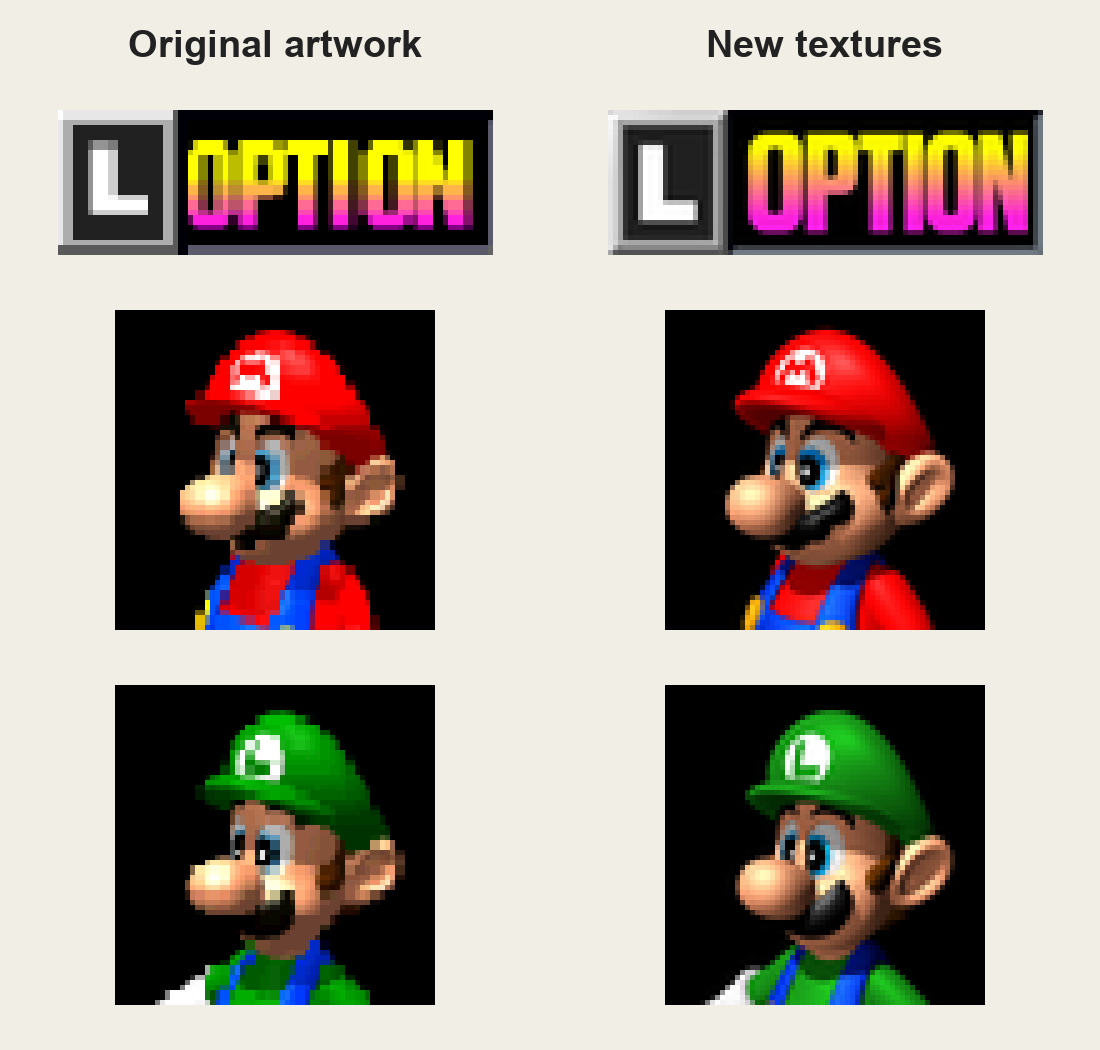
You can turn these changes off, of course. Original keeps the original textures, Menu uses the new artwork in the menus and interface, and Improved changes the racers too. Pick whichever look you like most.
The maps took a while too.
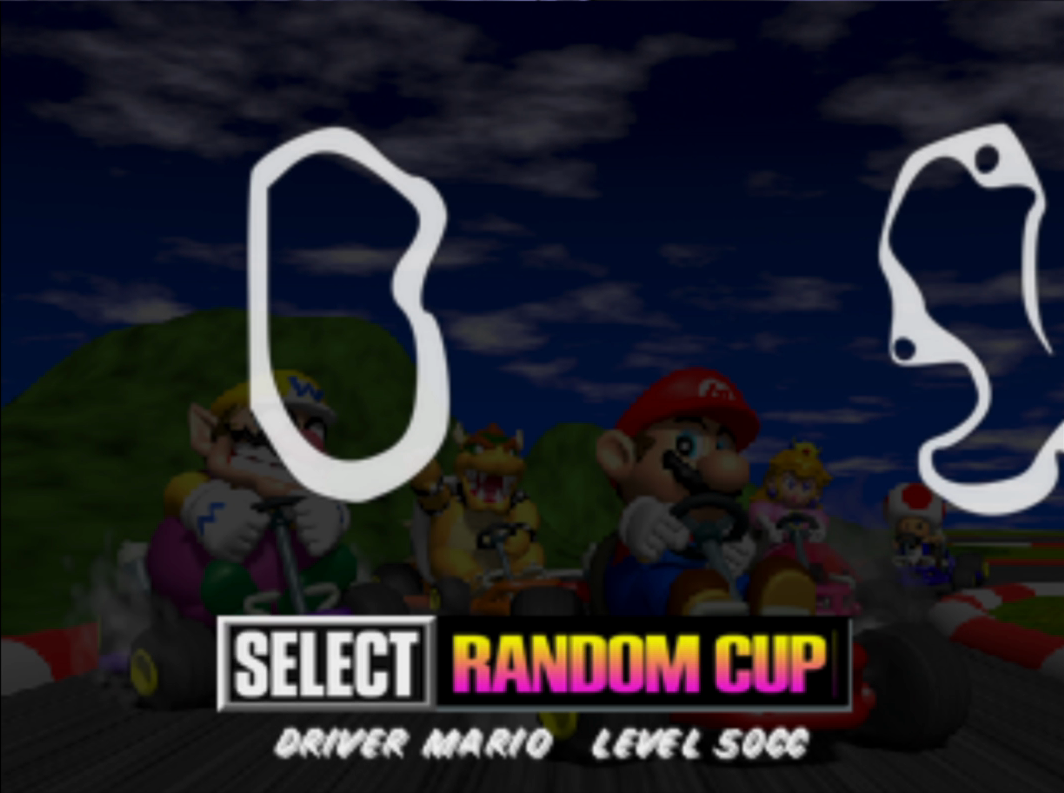
All sixteen course maps and the four battle maps have been improved. Since they now appear on the lower screen while you’re choosing a course, they get a lot more attention, so I wanted them to look better. That lower-screen menu map was one of the ideas I took from Epic’s port, and I think it’s a really good one. Thank you, Epic!
Many of the maps came from the texture pack, but I still had to edit quite a few of them, and I redrew some parts myself to make everything fit.
New menu icons.
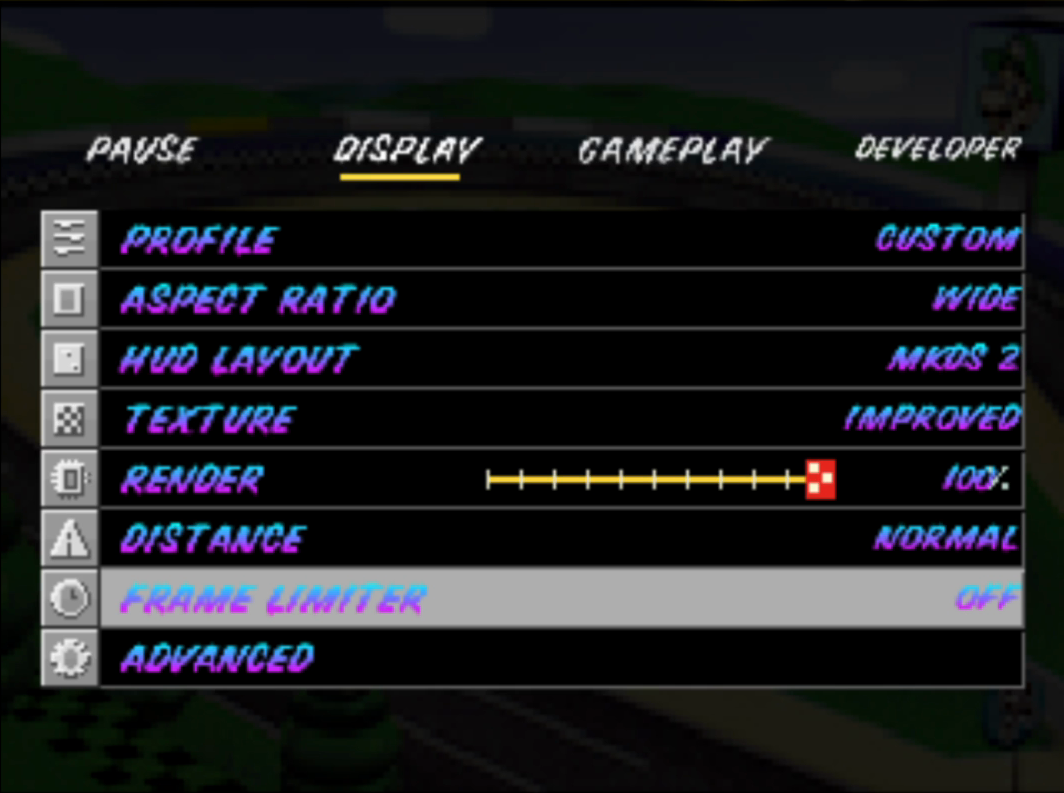
The Options and Pause menus got a lot of attention. I made a whole set of little pixel-art icons for the settings, trying to keep the shaded gray style of the original menus. Some of those drawings fit into just 12 × 12 pixels.
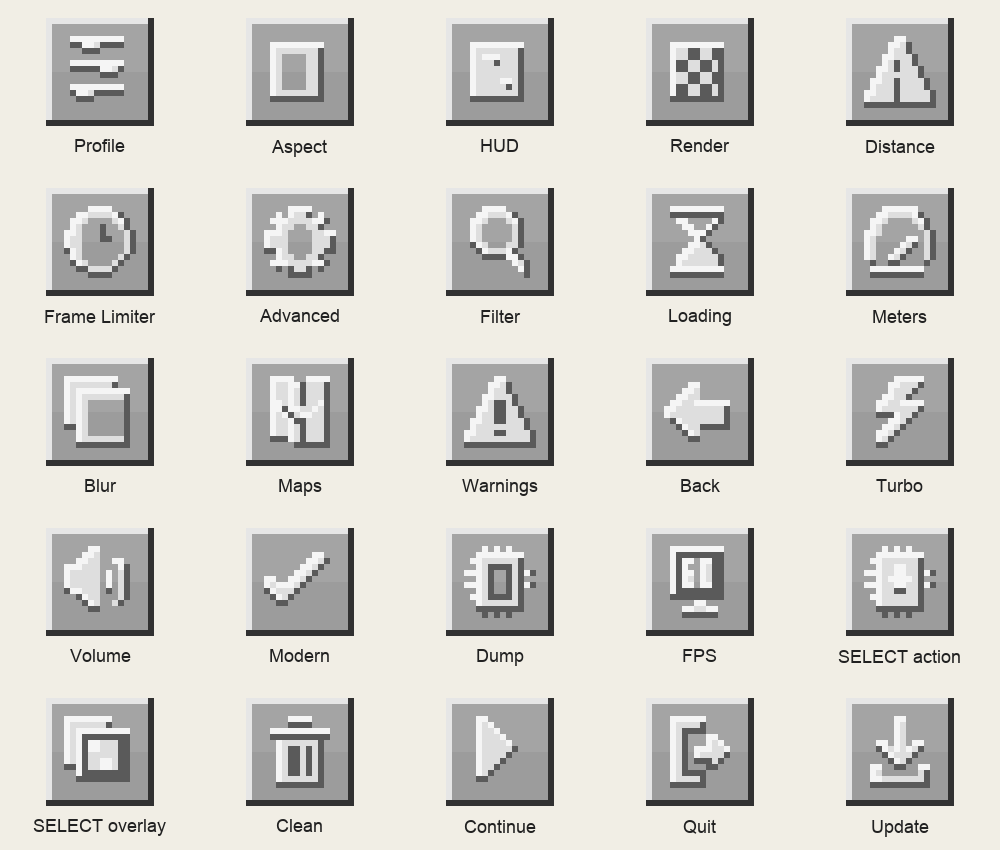
I also reworked the menus and added a lot of options. There are Performance, Quality and Custom profiles, animated hints, and an advanced mode with more settings to play with. Some of these additions are mine, and others were merged and adapted from Epic’s port.
02 / MORE WAYS TO PLAY
A big thank-you to Epic.
Epic0522 made her own version of this port with a lot of fixes and additions. Seeing someone take my work and keep improving it was really cool. I’ve merged and adapted several of those features for 2.0, and I want to give her credit for them.
You can now play Solo VS against seven CPUs and Solo Battle against three CPUs. There are random cups with four different courses, an AUTO driving and spectator mode, and optional Modern Logic that changes CPU and item behavior.
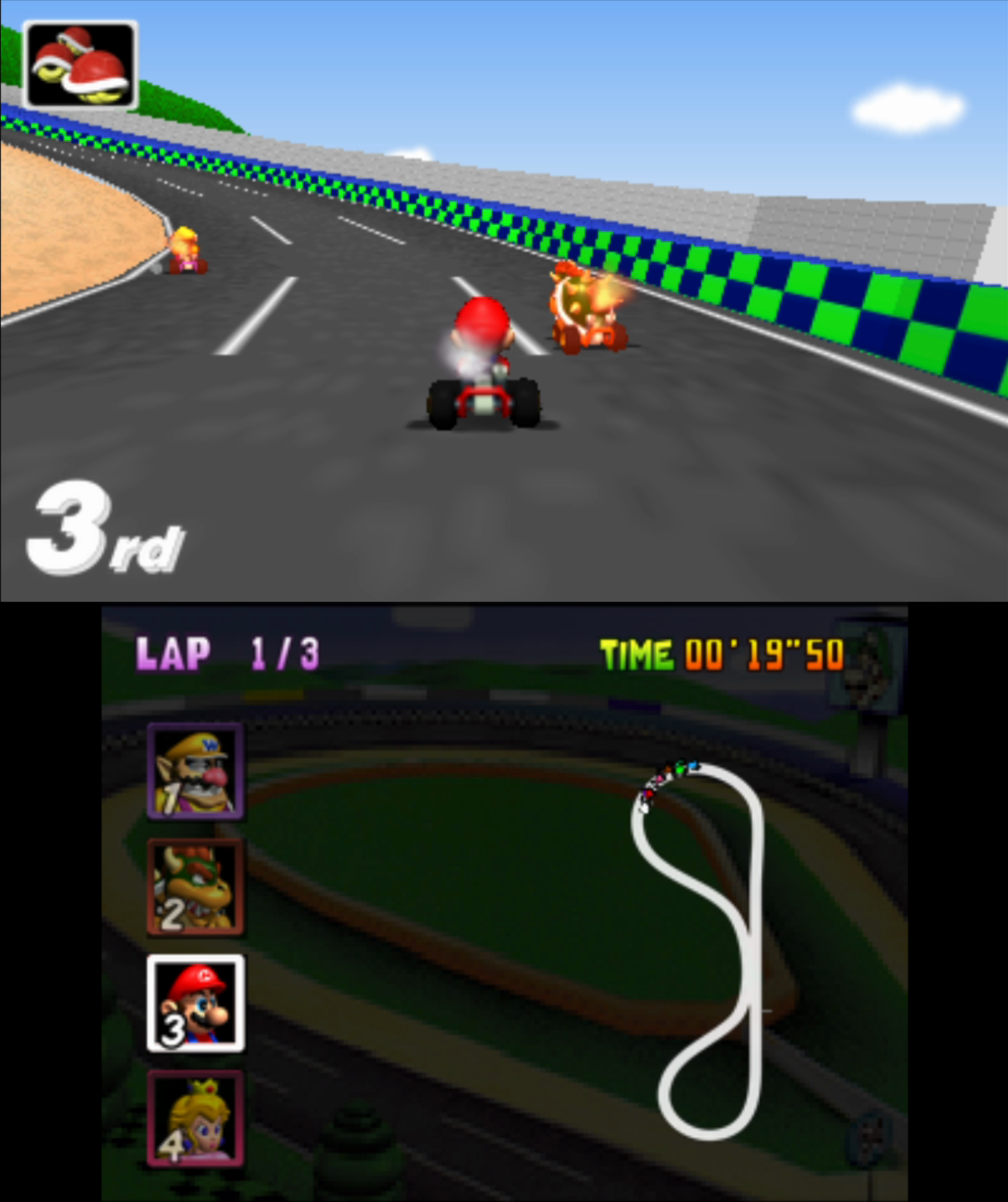
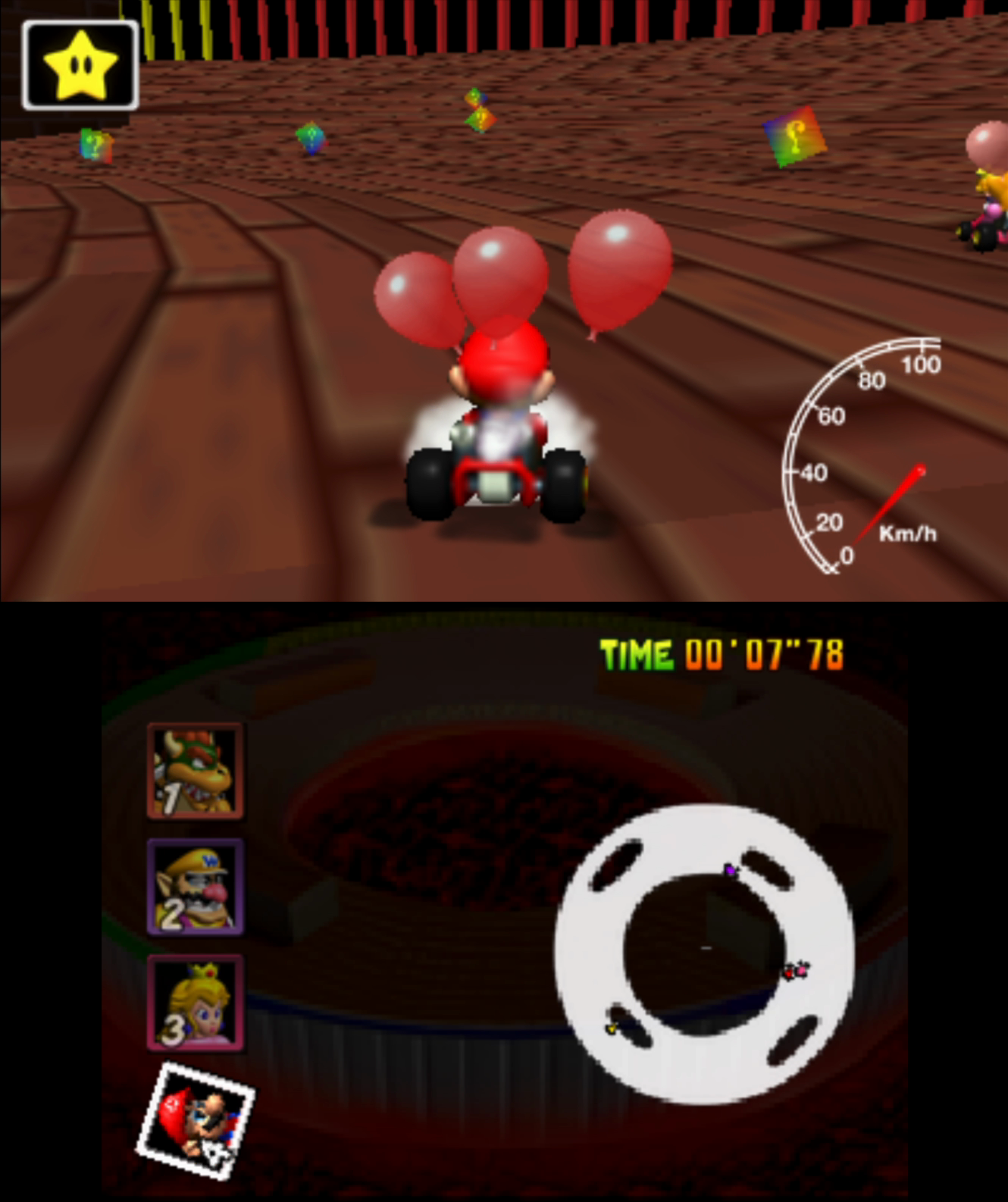
The rear view, updated reverse behavior with Modern Logic, adjustable 2×–5× C-Stick Turbo, configurable SELECT actions and touch-adjustable volume are also among the features I adapted from Epic’s version. The scrolling maps, extra HUD information and warnings for incoming threats are part of that work too, along with other fixes and ideas.
She also made the 3D banner used by this release:
That’s something I really like about this community. We take these ports and keep improving them, and the people playing are the ones who benefit. So thank you, Epic! These new modes are for solo play. Local and online multiplayer are still unavailable in this release.
Find her on X (@EpicReds0817) and GitHub (@Epic0522).
03 / THE OLD 3DS WORK
This part was hard.
Really hard.
The Old 3DS took a HUGE amount of work. I spent a lot of time reducing repeated texture loading and decoding, reusing rendering work, keeping memory under control and improving audio scheduling.
On my Old 3DS, I’ve been seeing around 15–20 FPS. I played for about an hour to test it, and honestly, I still found it enjoyable. There are occasional stutters, and you can tell it isn’t running at 60 FPS. But on the small screen I can still enjoy it, and I think it’s reached a pretty acceptable point.
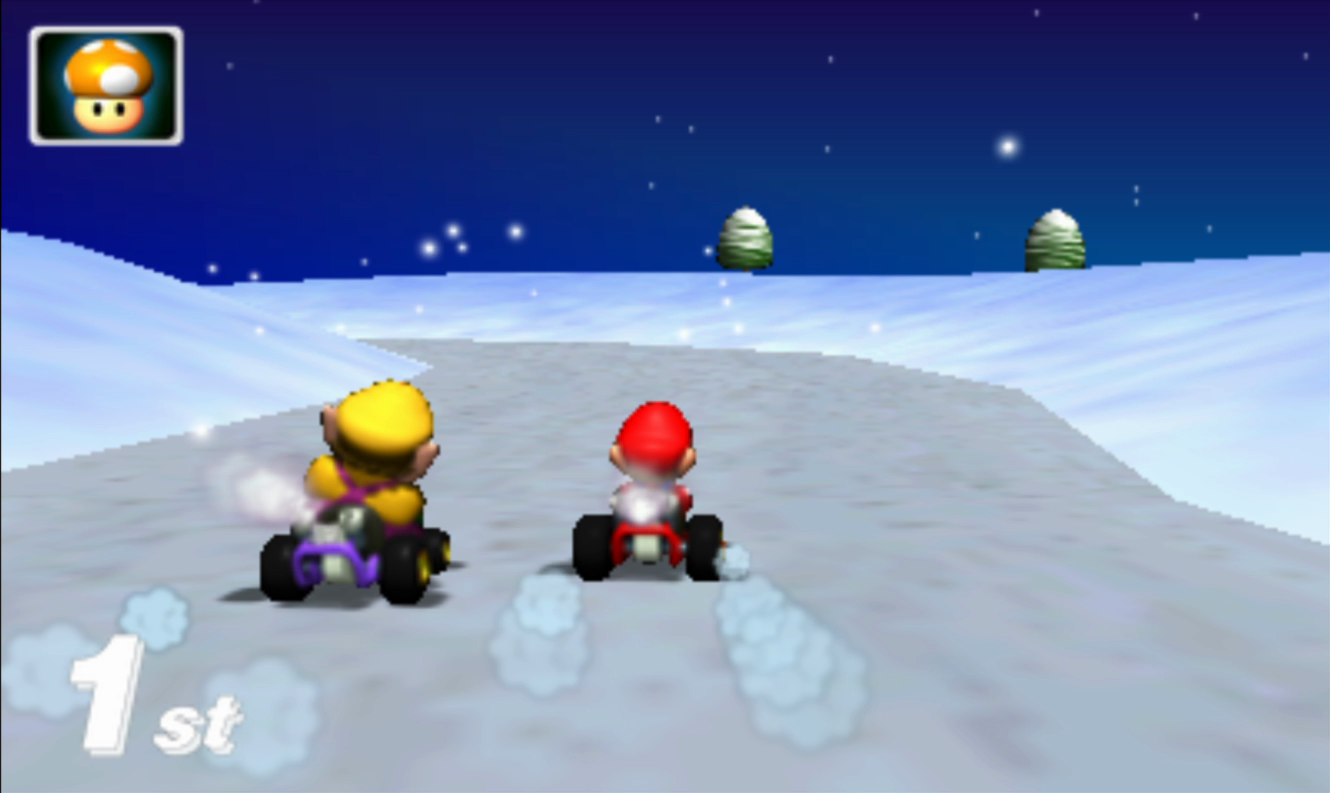
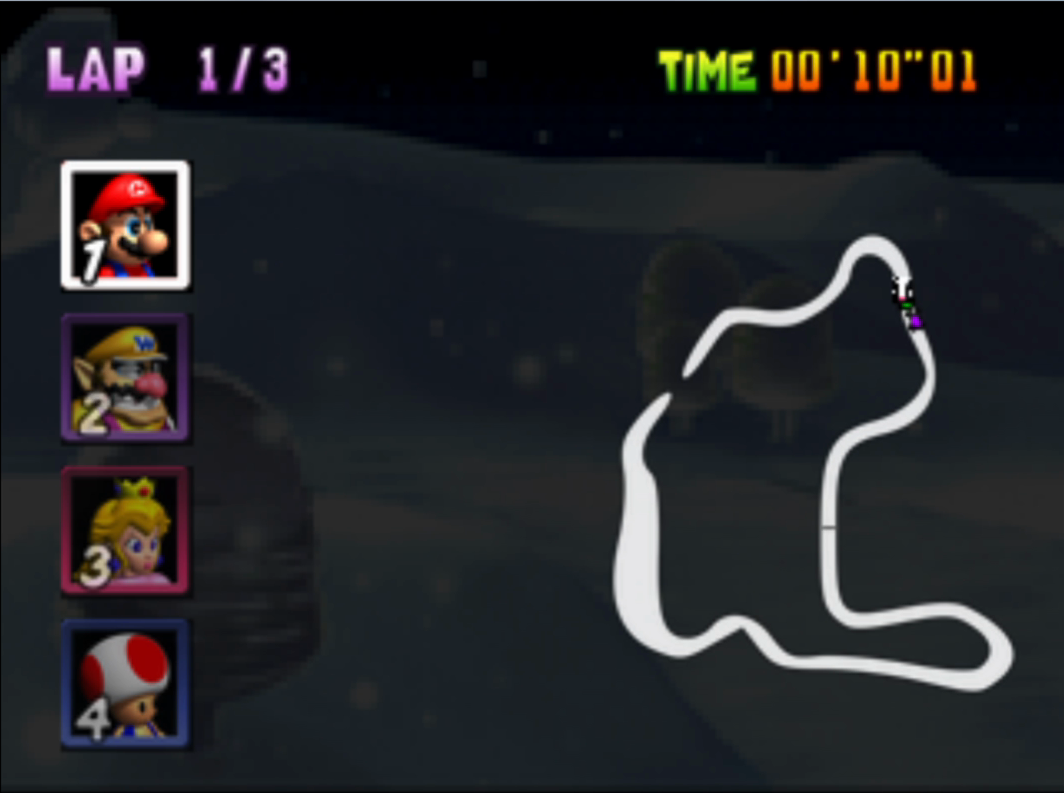
Something I want to explain about these ports is that having the decompiled source is an incredible help, but it doesn’t make bringing an N64 game to the 3DS easy. Even though the 3DS is more powerful overall, the two machines work very differently. The game code can be compiled for the 3DS, but the graphics and audio still need work specific to that hardware.
In this port, the CPU has to interpret and adapt the N64 graphics commands for the 3DS GPU. On a powerful PC, there’s usually much more room for that extra work. The New 3DS has a faster CPU, more cores and more memory to work with too. On the Old 3DS, with its much tighter CPU and RAM limits, it’s a different story.
Here’s a look at where the time was going, and how the two versions compare.
Where the milliseconds went.
per drawn frame37.6 ms
per game tick9.0 ms
per game tick8.7 ms
per drawn frame8.1 ms
The dashed line represents the 33.3 ms frame budget for 30 FPS.
| Test | Time spent / 180 ms scale | Time / FPS |
|---|---|---|
| One Player RaceVersion 1.5 | 13.823.143.68.1 | 88.6 ms≈ 11.3 FPS |
| Race Start · 8 KartsVersion 1.5 | 2326.1109.58.1 | 166.7 ms6 FPS |
| Old 3DSVersion 2.0 | 50–66.7 ms15–20 FPS | |
| New 3DSVersion 2.0 | 16.7–25 ms40–60 FPS |
- Game logic
- Audio
- Graphics interpreter
- HUD / submission
Version 1.5 presented about 11 FPS on my Old 3DS. To draw 30 frames per second, the whole frame needs to fit into about 33.3 milliseconds. The graphics interpreter was taking a big part of that time, and I still had the game logic, audio and everything else to deal with. The starts were especially rough, with all eight karts on screen.
Improving the audio scheduling and reducing repeated resource and rendering work all helped. Taking audio work off the main core gave the renderer more room, but it wasn’t one magic switch that fixed everything. I had to work on several parts of the port together.
Maybe a much bigger rewrite, or rebuilding the engine around the 3DS and reusing the original assets, could take it further. But that would be an enormous amount of work, well beyond what I want to take on for this project.
I use tools like Codex and Claude for projects like this, and they’ve helped me a LOT. That still doesn’t make the hardware limits disappear. Old 3DS performance was already a challenge for the Super Mario 64 port back in 2020, long before today’s AI coding tools. There were reports of slowdowns then, and getting consistently smooth performance on this hardware is still difficult. I have a lot of respect for the people who made those ports, the original decompilation, and everyone who has kept improving them.
Being realistic, I don’t want to keep spending more and more time trying to squeeze performance out of this port. I’m happy with where it is now, and I’d rather focus on fixing the bugs that people find.
04 / GETTING THE UPDATE
A little easier to keep up.
I added an in-game updater with Stable and Experimental channels, so you can get future updates from the game itself.
A desktop extractor too.
I also made a little extractor for Windows, macOS and Linux. It prepares the game data on your computer, so you don’t have to leave the 3DS doing that part. Here’s how it looks:
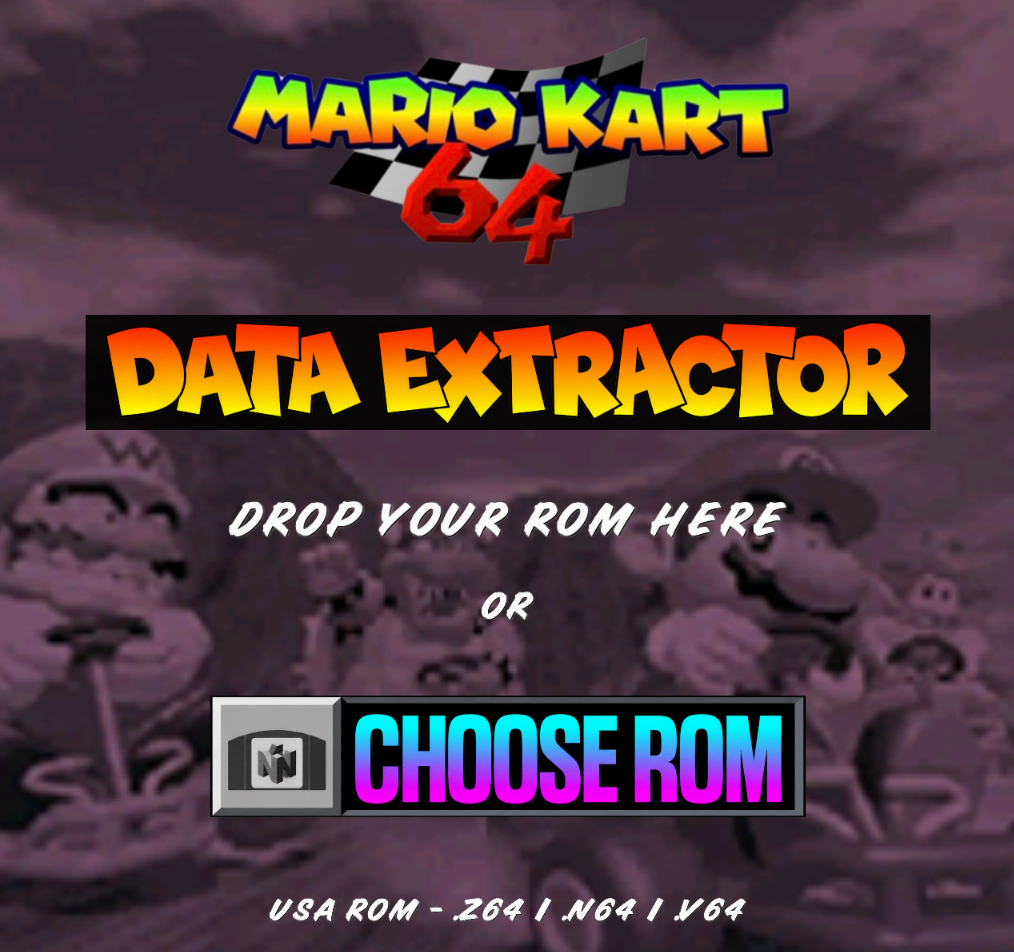
Download the package for your system from the release page and unpack the whole folder. The portable packages include what they need to run, so you don’t have to install Python or a compiler. Keep the supporting files together when you open the app.
- Drag in your own unmodified USA ROM, or click
CHOOSE ROM. It accepts
.z64,.n64and.v64files. - Choose where to save
mk64.o2r. The extractor checks the ROM and verifies the archive after creating it. - Copy
mk64.o2rand your game ROM asmk64.z64intoSD:/3ds/MK64/, then launch the port.
Everything runs locally on your computer. The extractor doesn’t upload the ROM, and it doesn’t download the game for you. The packages are for Windows x64, macOS Apple Silicon and Linux x64.
If you find a bug, please tell me which console you’re using, your settings and
what you were doing when it happened. You can press L + R + SELECT while
the problem is visible to create a diagnostic dump in
sd:/3ds/MK64/dump/. Send memory captures privately.
05 / WHAT’S NEXT
Some fixes.
Then, hopefully, a little more.
For now, I want to see how 2.0 behaves with more people playing it and fix the bugs that turn up. Testing on my own only goes so far. With more consoles, settings and play sessions, people will probably find things I missed.
After that, I’d like to add stereoscopic 3D, and eventually multiplayer. I haven’t settled on exactly how I’m going to do those yet, so I don’t have a date to give you. They’re things I want to work towards, not features I’m saying are ready today.
A big thank-you to Epic0522 for the features, fixes, banner and ideas adapted into this release; to GhostlyDark and the MK64 Reloaded contributors for their artwork; and to Harbour Masters, the Mario Kart 64 decompilation contributors and the 3DS homebrew community for the work this port builds on.
And thank you to everyone who has tested it, shared suggestions or just been excited about the next update. I’ve put a lot of love into this one, and I really hope you guys enjoy it!!! ❤️
Release details: v2.0 changelog. Artwork: MK64 Reloaded and contributor credits. Technical context: port architecture, 2020 Old 3DS slowdown report and a current SM64 port’s stated targets.